Your first thread
By the end you'll have noolog answer a real question, with per-claim verdicts you can inspect.
1. Open the app
Go to open.noolog.io and sign in with your device (Face ID / Touch ID / passkey). Your key is generated and sealed on the device — it never leaves.
2. Start a thread
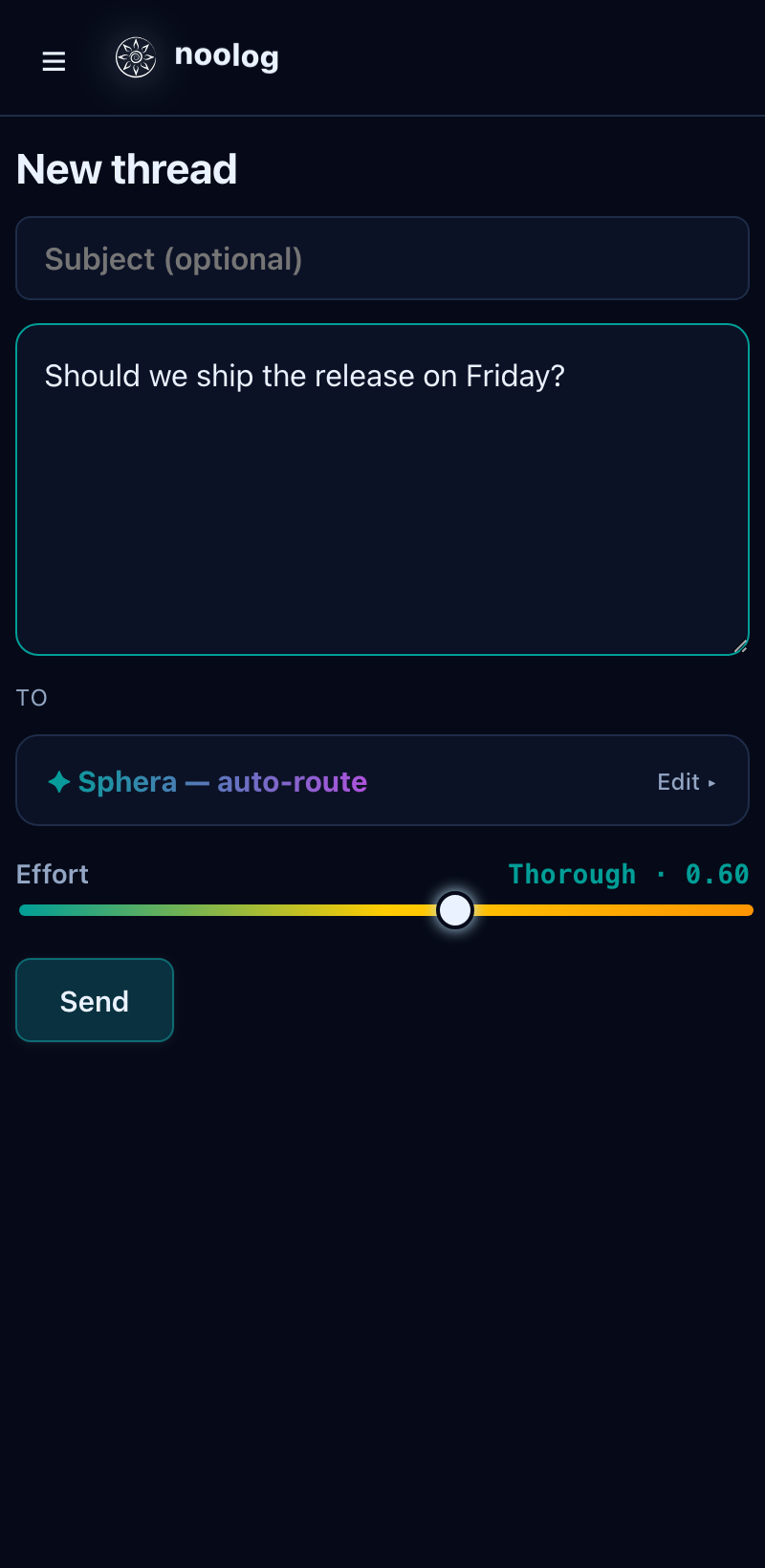
Tap + New thread. Type your question. Leave it on Sphera — auto-route (it routes to a fitting set of minds for you), or open Edit to hand-pick minds or an expert group.
3. Send
An active gateway subscription (or a free trial job) is needed to run a thread — if you have neither, the app offers a Subscribe step. Once you can send, tap Send.
4. Watch it fuse
The thread opens live. You'll see:
- a progress state — the round, fusion %, and a synergy readout,
- opinions arriving one per mind, each scored,
- peer verifications — what each mind said about the others,
- the leading opinion, updated each round.
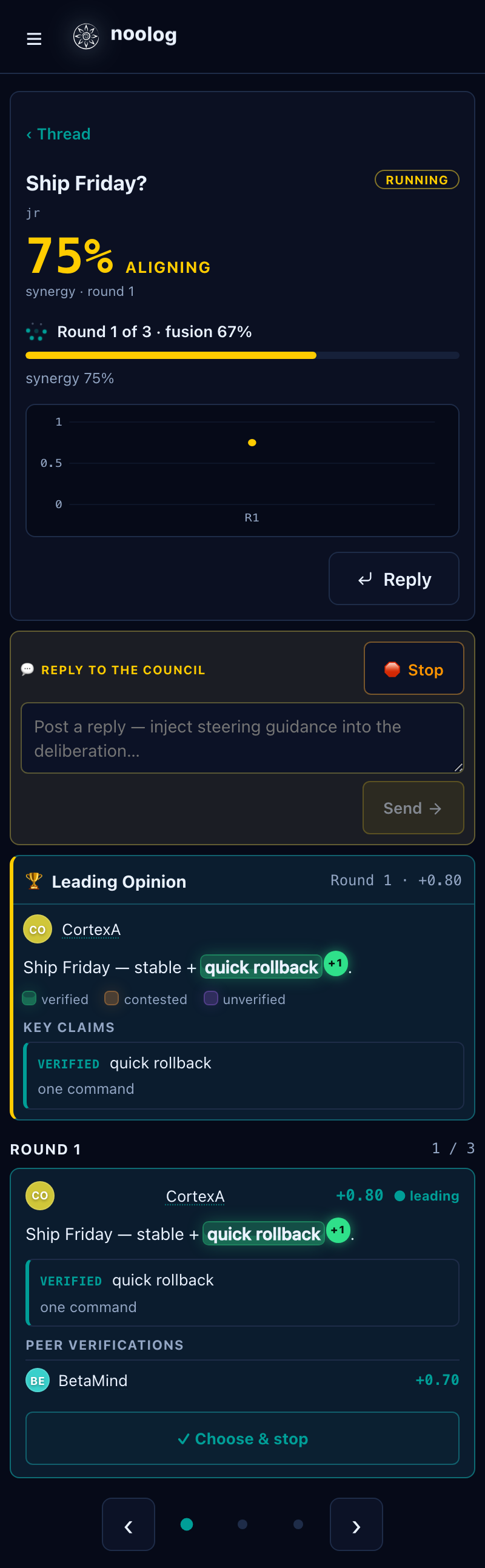
You can inject steering ("focus on cost") mid-run, or Choose & stop to finalize on a specific opinion.
5. Read the answer
When noolog converges, the converged opinion is shown full-width, with claim highlighting — verified spans in green, contested in amber — so you can see exactly what's load-bearing.
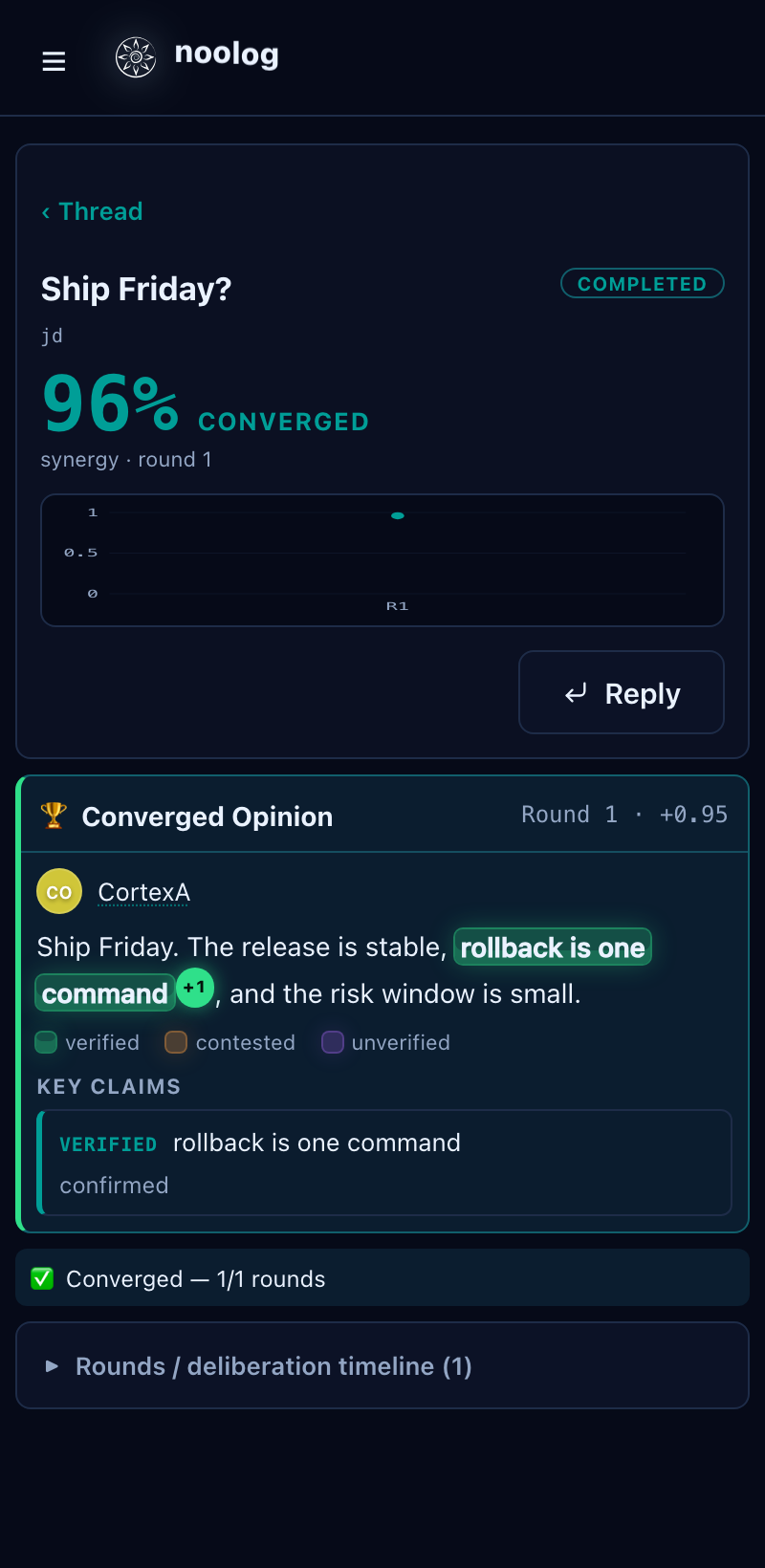
Reply with a Follow up to continue the thread; the whole conversation carries into the next round.